What Is Digital Asset Management?
lightbulb Executive Summary
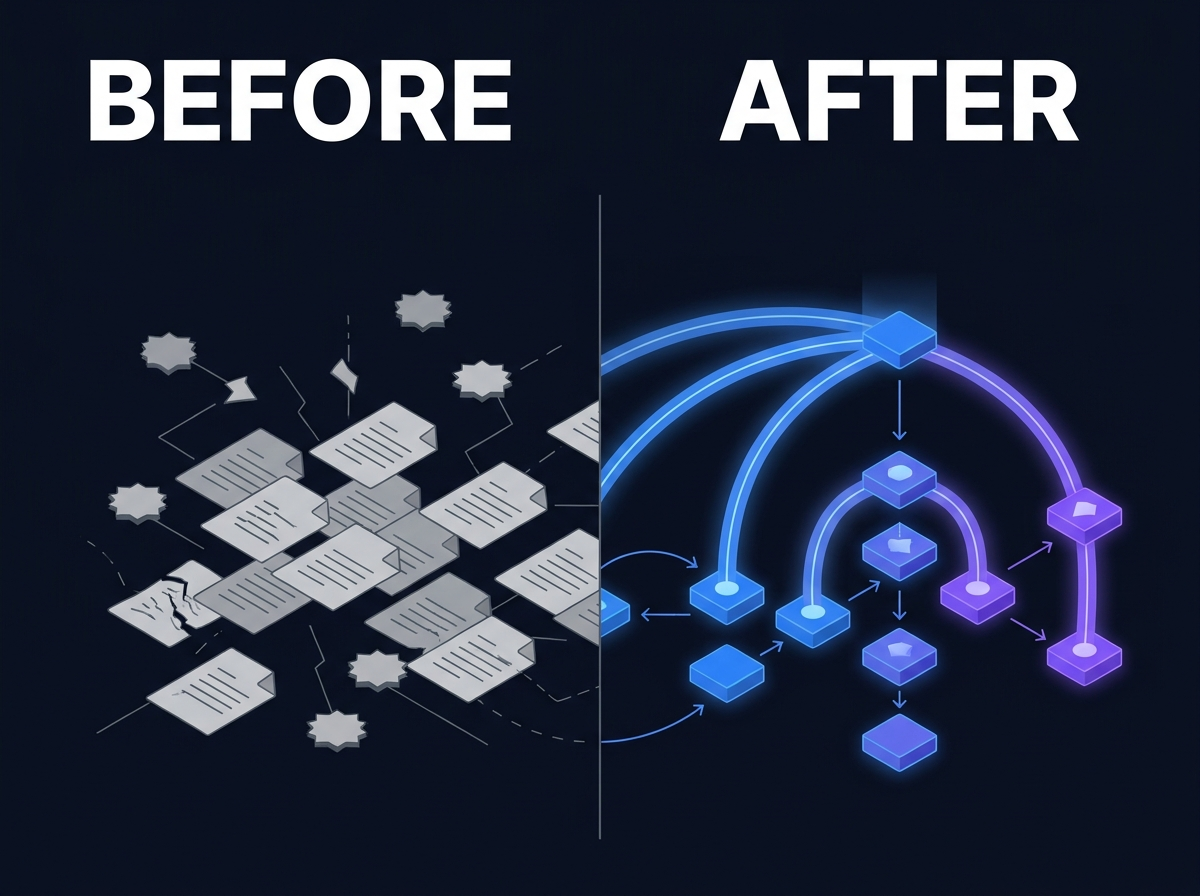
Digital Asset Management (DAM) is the operational layer for how organizations store, describe, secure, distribute, and reuse media and creative files at enterprise scale. DAM is not file storage with thumbnails. It combines metadata, rights governance, version control, workflow, and search so teams can answer what an asset is, whether they may use it, which version is approved, and how to find it quickly. Organizations need DAM when media volume, rights complexity, and multi-team reuse outgrow shared drives, email attachments, and agency handoffs. Failed DAM programs usually treat metadata, rights, and search as phase-two work. Successful programs define ingest standards and operating rules before bulk upload. DAM works best when connected to Enterprise Search and Knowledge Management, not isolated as a creative silo. Evaluation should focus on ingest discipline, rights workflows, format coverage (especially video), integration with creative tools, and permission-aware discovery beyond the DAM interface.
Executive Summary
- Digital Asset Management (DAM) is the operational layer for how organizations store, describe, secure, distribute, and reuse media and creative files at enterprise scale.
- DAM is not file storage with thumbnails. It combines metadata, rights governance, version control, workflow, and search so teams can answer what an asset is, whether they may use it, which version is approved, and how to find it quickly.
- Organizations need DAM when media volume, rights complexity, and multi-team reuse outgrow shared drives, email attachments, and agency handoffs.
- Failed DAM programs usually treat metadata, rights, and search as phase-two work. Successful programs define ingest standards and operating rules before bulk upload.
- DAM works best when connected to Enterprise Search and Knowledge Management, not isolated as a creative silo.
- Evaluation should focus on ingest discipline, rights workflows, format coverage (especially video), integration with creative tools, and permission-aware discovery beyond the DAM interface.
Category Definition
Digital Asset Management is the category of software and process that governs how organizations manage digital media and creative files throughout their lifecycle: from ingest and description through approval, distribution, reuse, and archival disposition.
The assets DAM typically covers include still images, video, audio, design files, brand elements, product photography, campaign creative, 3D renders, and operational media that teams must find, approve, and reuse under defined rules. Some programs extend DAM to include documents tightly coupled to creative work, such as briefs, scripts, and legal clearance records, though document-heavy governance often sits in adjacent Knowledge Management systems.
At its core, DAM answers four operational questions for every asset:
1. What is this file? Descriptive metadata, technical properties, business context (campaign, product, client, project), and taxonomy placement. 2. Can we use it here? Rights metadata: talent releases, license terms, territories, channels, expiration dates, and usage restrictions. 3. Which version is approved? Version history, approval states, and clarity about draft vs final vs superseded assets. 4. How do authorized people find it? Search, browse, facets, collections, and distribution paths that match how teams actually work.
DAM sits above raw storage. File shares and cloud folders retain bytes. DAM adds the operational discipline that makes those bytes usable across teams, regions, agencies, and time.
Core capabilities in a mature DAM program
Ingest and metadata model. Assets enter the system through defined workflows: required fields at upload, controlled vocabularies, validation rules, and automation where enrichment is reliable. Metadata is not a cleanup project after launch. It is how the library remains findable as volume grows.
Rights and compliance. Rights attach to files, not to spreadsheets in legal inboxes. A working DAM records whether an asset is cleared for web, print, paid social, regional use, or internal-only reference. Workflows can warn or block distribution when rights lapse or context does not match restrictions.
Version and approval workflow. Creative work produces iterations. DAM tracks versions, check-out patterns where needed, and approval gates before assets publish to broader audiences or external channels.
Search and format coverage. Users search by campaign, product, talent, date, rights status, and descriptive tags, not only by filename. Video requires transcript search, scene-level metadata, or enrichment pipelines. Without strong search, DAM becomes browse-only and teams revert to asking colleagues.
Integration and distribution. DAM connects to creative tools, marketing systems, agency portals, and content delivery paths. Teams should not maintain a parallel library on local drives because the official system is too slow to use.
Permissions and access control. Role-based access restricts preview, download, transcode, and external sharing. Collections inherit permissions. Sensitive pre-release creative stays restricted until approval.
Lifecycle and disposition. Assets move from active campaign use to archive states. Retention rules align with legal, brand, and operational requirements. Not everything belongs in active search forever.
How DAM differs from adjacent categories
Buyers often conflate DAM with nearby tools. The distinctions matter for procurement and architecture.
| Category | Primary job | Typical user |
| **File storage** | Retention and basic sharing | Everyone |
| **MAM (Media Asset Management)** | Active production workflow during creation | Editors, producers |
| **DAM** | Governed media library, rights, reuse, distribution | Creative ops, marketing, legal, brand |
| **CMS / Web CMS** | Publishing web pages and structured content | Web and content teams |
| **Brand portal** | Published subset for partners or regions | Brand, channel teams |
| **Enterprise Search** | Cross-system discovery with permissions | All knowledge workers |
| **PIM (Product Information Management)** | Product data and merchandising content | Commerce, product teams |
MAM excels during production: ingest from cameras, edit proxies, rough cuts, and session management. DAM excels after and alongside production: approved masters, rights-cleared assets, campaign libraries, and governed reuse. Many organizations need both. Problems arise when MAM is sold as DAM without rights depth, or when DAM is deployed without production integration.
File storage solves "where do we put the file?" DAM solves "how do we trust, find, and reuse the file six months later when the original uploader has moved on?"
When an organization needs DAM
DAM becomes necessary when several conditions overlap:
- Media volume exceeds what shared drives and email can govern reliably
- Multiple teams, agencies, or regions reuse the same asset pool
- Rights and talent clearance create legal or brand exposure on reuse
- Version confusion produces off-brand or non-compliant publishing
- Creative teams spend significant time hunting for approved files
- Executives ask why the organization paid for assets that teams recreate anyway
DAM is not mandatory for every team storing images. It is mandatory when media is operational infrastructure, not occasional attachment storage.
Why It Matters
Creative operations depend on trustworthy libraries
Marketing, brand, communications, and media teams run on deadlines. When the approved hero image cannot be found, or when nobody can confirm usage rights, teams choose speed over governance. They grab what looks right. Brand consistency and legal clearance become after-the-fact corrections.
DAM matters because it makes the fast path and the compliant path the same path. The asset teams need is described, cleared, and searchable when the campaign clock is running.
Rights exposure is real even without a headline incident
Most organizations never see a public lawsuit over a misused stock photo. They still absorb cost: rework when legal rejects a placement, delayed launches while clearance is reconstructed, regional teams that commission duplicate shoots because rights metadata was never attached to files.
DAM matters because rights live with assets. Legal and creative ops stop reconstructing clearance from email chains when reuse questions arise.
Reuse value compounds over years
Organizations invest heavily in photography, video production, design systems, and campaign creative. Without DAM, that investment depreciates the moment the project folder goes stale. New teams cannot find prior season assets. Agencies re-deliver files the organization already owns.
DAM matters because it preserves reuse value across reorganizations, agency changes, and staff turnover. The library becomes an asset, not an attic.
Media is enterprise knowledge, not a side department
Engineering teams store product imagery, specification renders, and maintenance media. Research groups store instrument outputs and visual datasets. HR and internal comms store brand and culture assets. When DAM is treated as "marketing's tool," other departments maintain shadow libraries.
DAM matters at enterprise scale because media intersects with product, compliance, training, and customer experience. A governed media layer supports the whole organization, not only the creative department.
Search debt hits media harder than documents
Documents often have titles and text bodies that search engines can index. Video, high-resolution imagery, and design files are opaque without metadata, transcripts, and enrichment. A folder full of MP4 files is a black box.
DAM matters because findability requires intentional description at ingest and ongoing enrichment for formats that do not yield text automatically. Without that discipline, volume growth guarantees failure.
AI and automation amplify whatever library you provide
Teams increasingly want AI-assisted search, summarization, and creative assistance on media libraries. Ungoverned DAM estates produce confident wrong answers, duplicate suggestions, and rights-blind recommendations.
DAM matters as a foundation because Private AI and automated enrichment inherit the metadata, permissions, and approval states the library provides. Garbage in still means risk out.
Common Misconceptions
"DAM is just cloud storage with previews"
Storage retains files. DAM governs how files are described, approved, rights-cleared, discovered, and distributed. Thumbnails do not replace taxonomy, workflow, or rights metadata. Organizations that procure DAM as storage get expensive folders.
"We can fix metadata after go-live"
Retroactive metadata backfill at scale rarely catches up to ongoing ingest volume. Every week of upload without required fields adds to a permanent backlog. Successful programs define required metadata and validation before bulk migration, not after adoption stalls.
"Search is a nice-to-have feature"
Without search, DAM is browse-only. Browse works for librarians who know the taxonomy. It fails for marketers under deadline who think in campaigns, products, and talent names. Video magnifies the problem: filename search is not a workflow.
"DAM replaces enterprise search"
DAM search serves users inside the media library. Enterprise Search extends discovery to users who live in email, collaboration platforms, and line-of-business systems. DAM should feed enterprise indexes with permissions and metadata intact. The categories complement each other.
"Only marketing needs DAM"
Any function with high-volume media, reuse requirements, or rights sensitivity benefits from DAM discipline. Engineering product imagery, research visual data, and corporate communications brand assets all suffer when governed only by shared drives.
"DAM requires replatforming everything on day one"
Mature programs start with the highest-volume, highest-risk library, define standards, prove findability, then expand by connector. Big-bang migration of every historical archive before standards exist is a common failure pattern. See Why Digital Asset Management Projects Fail for operational detail.
"MAM and DAM are interchangeable labels"
Vendors blur the terms. MAM focuses on production workflow. DAM focuses on governed library operations and reuse. Buying one when you need the other produces tool satisfaction surveys and user avoidance.
"AI auto-tagging eliminates metadata work"
Automated enrichment helps when bounded and validated. It does not replace business metadata: campaign, client, rights, approval state, and canonical version. AI suggestions still require governance rules so incorrect tags do not propagate at scale.
Practical Examples
These scenarios describe composite patterns common in large organizations. They are illustrative, not named customer stories.
Global brand campaign reuse
A consumer brand maintains thousands of assets across seasonal campaigns, product lines, and regional adaptations. Creative operations uploads new photography and video weekly. Agency partners deliver files through mixed channels: FTP, shared links, and direct upload.
Without DAM, regional marketers search shared drives and email for "last year's holiday campaign." They find folders with inconsistent naming, unclear talent releases, and draft crops mixed with approved masters. Some regions commission reshoots. Brand governance discovers off-logo usage after materials go live.
With DAM, approved masters carry campaign taxonomy, product linkage, and rights metadata at ingest. Regional teams search by season, product, and clearance status. Legal blocks download when talent releases exclude their channel. Enterprise search extends the same governed assets to users outside the DAM interface.
Video archive with no findable moments
A media team stores long-form video: executive keynotes, product launches, customer stories, event recordings. Files are correctly stored and backed up. Nobody funded transcript search or segment-level description during a rushed rollout.
An editor needs a fifteen-second product clip from a forty-minute keynote. They scrub manually, ask a colleague who edited the original, or re-request footage from an agency. The archive exists. The workflow does not.
DAM with video intelligence, transcript indexing, and required descriptive metadata at ingest turns the archive into a reusable library. Without that capability, video volume becomes a cost center instead of a reuse asset.
Agency handoff and the rights gap
An in-house marketing team works with multiple agency partners. Each delivers finals differently. Project managers upload to the DAM when they have time. Talent releases and usage restrictions sit in contracts and inboxes, not attached to files.
Six months later, paid social needs hero imagery from a prior campaign. Creative finds the image in the DAM. Legal cannot confirm channel clearance without reconstructing the contract chain. Launch delays while someone searches email.
DAM done well links rights records to assets at ingest, requires clearance fields before external distribution workflows activate, and gives legal a audit path without opening separate systems.
Engineering product imagery alongside marketing
A manufacturer stores product renders, specification diagrams, and maintenance imagery in engineering shares, while marketing maintains a separate brand library. Sales requests "the latest product shot for the datasheet." Two departments produce conflicting files.
DAM with aligned taxonomy and cross-functional collections gives sales and support one governed source. Engineering-controlled assets carry revision linkage to product entities. Marketing-controlled assets carry brand approval states. Enterprise search surfaces both to authorized users with clear version signals.
Post-merger media chaos
Two companies combine brand portfolios. IT copies acquired media shares into a legacy tree. No taxonomy merge occurs. No rights review runs at scale. Teams are told the material is available if needed.
A product launch requires heritage brand assets from the acquired portfolio. Designers browse for days. They find usable files but cannot confirm approval or expiration. Legal halts external use until manual review completes.
DAM provides the structure to inventory, classify rights, assign ownership, and activate acquired libraries selectively rather than leaving them as dark archives on a share.
Evaluation Criteria
Use these criteria when defining requirements, writing RFPs, or comparing platforms. They reflect how creative teams actually work, not demo scenarios alone.
Ingest and metadata model
- Required fields enforced at upload, not optional suggestions
- Controlled vocabularies aligned to brand, product, and campaign taxonomies
- Validation rules that reject incomplete records before assets enter broad circulation
- Automation for enrichment where accuracy is bounded and reviewable
- Clear ownership for taxonomy changes and field definitions
Rights and compliance workflow
- Talent releases, license types, territories, channels, and expiration stored on the asset
- Warnings or blocks when users attempt disallowed distribution
- Audit trail for clearance changes and downloads
- Integration path for legal review on sensitive collections
Search and format coverage
- Faceted search by business metadata, not filename alone
- Video search via transcript, tags, or scene-level enrichment
- Performance at your expected volume and concurrent user load
- Image similarity or visual search only if your team will maintain it
Versioning and approval
- Clear draft, in-review, approved, and superseded states
- Version history visible to users who must pick canonical assets
- Workflow routing to brand or legal where required
Integration and creative workflow
- Connectors or API paths to creative tools, MAM, marketing automation, and SSO
- Agency upload paths that do not depend on a single project manager
- Export and transcode options that match channel requirements
Permissions and security
- Role-based access for preview, download, share, and transcode
- Collection-level inheritance with override rules
- Alignment with enterprise identity systems
Enterprise discovery connectivity
- Index export or connector for [Enterprise Search](/features/enterprise-search/) with ACL synchronization
- Metadata fields exposed to cross-system facets
- No silo trap: media invisible to users outside the DAM UI
Deployment and sovereignty
- Deployment options matching your [Data Sovereignty](/platform/security-sovereignty/) requirements
- Customer control of encryption keys and audit logs where policy requires
- No mandatory export of media to vendor-operated multi-tenant storage for core library functions
Program readiness, not only software features
- Ingest standards document template
- Creative ops staffing model for metadata stewardship
- Migration sequencing: active libraries first, historical archive phased
- Success metrics defined qualitatively: time to find approved asset, rights questions resolved without legal escalation, reduced duplicate shoots
For a scored evaluation workbook covering these areas, see the warm-tier Digital Asset Management Evaluation Guide (WP-04) after portal registration.
How It Relates To Other Categories
Digital Asset Management is one pillar in a stack of enterprise knowledge capabilities. DAM rarely delivers full value in isolation.
Knowledge Management
Knowledge Management structures information with taxonomy, entity linkage, lifecycle rules, and provenance. DAM applies that discipline to media-specific metadata: rights, approvals, campaign linkage, and creative taxonomy.
Alignment matters. If DAM taxonomies diverge from enterprise Knowledge Management standards, assets discoverable in the DAM appear incorrectly in cross-repository search and curated knowledge collections. Article What Is Knowledge Management? (ART-12) defines the structure layer DAM should align with.
Enterprise Search
Enterprise Search provides permission-aware discovery across systems. DAM should be a governed source that enterprise indexes treat as authoritative for media, with metadata and ACLs synchronized.
Users who never open the DAM interface still benefit when search returns rights-cleared, approved assets with context. Article What Is Enterprise Search? (ART-13) covers the discovery layer DAM feeds.
Article Enterprise Search Is Not Knowledge Management (ART-03) explains why search and structure are complementary. DAM teams feel that distinction when search returns ungoverned duplicates from non-DAM shares alongside official library assets.
Dark Data Intelligence
Media archives are a major source of dark data: stored video and imagery with missing metadata, orphaned project folders, and legacy agency deliveries nobody indexed. DAM activation is often part of a dark data program: inventory, classify rights risk, apply ingest standards, activate high-value libraries, disposition what has no purpose.
Article What Is Dark Data and Why Most Organizations Ignore It (ART-01) frames the archive problem DAM helps solve.
Private AI
Private AI on media libraries requires governed corpora, permission-aware retrieval, and rights-aware outputs. AI that suggests assets for campaigns must respect clearance metadata, not only visual similarity.
Article What Is Private AI? (ART-14) covers the application layer that depends on DAM and search discipline. Article Private AI vs Public AI (ART-02) explains deployment boundaries relevant when AI processes pre-release creative.
Data Sovereignty
Media libraries often include pre-release product imagery, confidential campaign material, and client-owned creative. Data Sovereignty requirements apply to where assets are stored, processed for preview and enrichment, and indexed for search.
Article What Is Data Sovereignty? (ART-15) defines the control model DAM deployments must respect.
File storage and platform context
Article Why Organizations Need More Than File Storage (ART-09) explains why storage alone fails as media volume grows. Article Why Digital Asset Management Projects Fail (ART-04) diagnoses operational failure patterns after procurement.
Article Turning Documents, Media, and Dark Data Into Searchable Knowledge (ART-10) positions DAM inside the full transformation path from stored content to governed, searchable knowledge.
Vertical solutions
Media-heavy buyers often evaluate through the Media and Creative solution path, which connects DAM requirements to creative operations, rights, and cross-team discovery scenarios.
Where Prodigy Fits
Prodigy treats Digital Asset Management as a first-class pillar within a unified platform, not as an isolated creative silo.
The DAM layer governs media ingest, metadata, rights, versioning, and distribution for organizations that need creative operations infrastructure rather than storage with previews. Video Intelligence and enrichment capabilities support findability for formats that do not yield text automatically. Enterprise Search extends governed media to users who work primarily outside the DAM interface, with permissions synchronized at query time.
Knowledge Management alignment keeps DAM taxonomies consistent with enterprise structure and lifecycle rules. Platform Integrations connect existing repositories and creative workflows so teams improve governance without mandatory big-bang migration.
For organizations adding AI to media libraries, Private AI retrieves from corpora that inherit DAM metadata, approval states, and access controls rather than from unmanaged uploads.
Prodigy is not a generic file share or a search appliance pretending to be DAM. It is a platform layer for organizations that need media governed, findable, and usable inside the same sovereignty and discovery model as documents and operational knowledge.
FAQ
What is digital asset management in simple terms? Digital asset management is how organizations store, describe, secure, and reuse media and creative files so teams can find approved assets quickly and use them within rights and brand rules.
What is the difference between DAM and MAM? MAM focuses on active media production workflows during creation. DAM focuses on governed library operations: metadata, rights, approval, reuse, and distribution after or alongside production. Many organizations need both.
Is DAM the same as a shared drive or SharePoint library? No. File storage retains files. DAM adds required metadata, rights tracking, approval workflows, and search designed for high-volume media reuse. Shared drives lack that operational layer at scale.
When does an organization need a DAM system? When media volume, multi-team reuse, rights complexity, or version confusion create rework, legal exposure, or creative bottlenecks that shared drives cannot govern reliably.
Does DAM require moving all media to a new platform? Not necessarily. Mature programs often start with the highest-volume library, define ingest standards, prove value, then expand through connectors. The operating model matters as much as the repository location.
How does DAM relate to enterprise search? DAM governs the authoritative media library. Enterprise search indexes permitted assets alongside documents and other repositories so users find media without opening every silo separately.
Can DAM help with AI on creative libraries? Yes, when libraries are governed first. AI retrieval inherits metadata, permissions, and rights context from the DAM. Ungoverned libraries produce risky or unusable AI suggestions.
Who owns DAM in an organization? Successful programs share ownership: creative operations defines workflow and metadata standards, legal informs rights models, IT manages integration and access, and executive sponsors keep adoption a priority after launch.
CTA
Explore how Prodigy approaches digital asset management Primary: Digital Asset Management
Continue your evaluation Secondary: Register for the evaluation portal
Request a demo Tertiary: Request a Demo