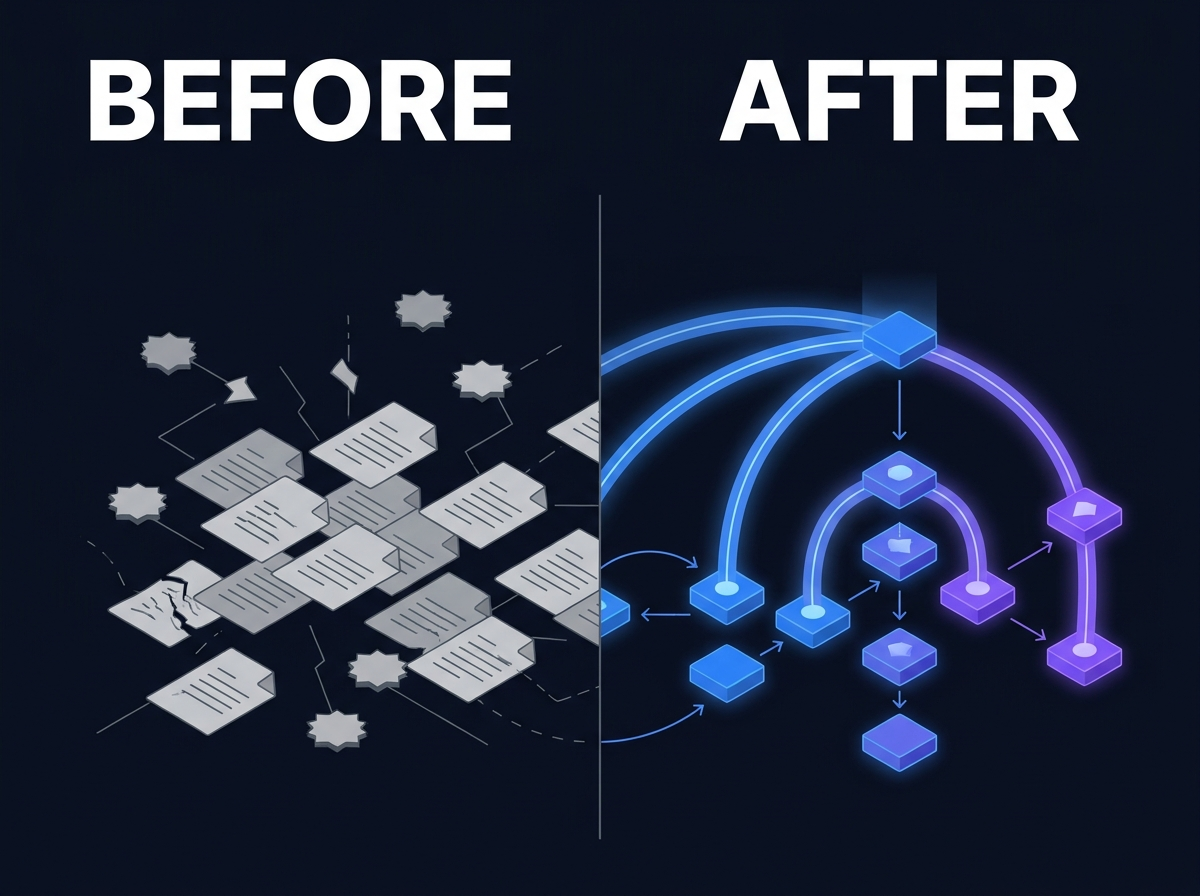
Why Digital Asset Management Projects Fail
lightbulb Executive Summary
Enterprise DAM projects fail when organizations treat digital asset management as storage with thumbnails, not as creative operations infrastructure. Metadata, rights, and search are process requirements. They cannot be backfilled after launch without years of delay. Teams work around the DAM when ingest standards, creative tool integration, and distribution paths are undefined on day one. Successful programs start with the highest-volume library, define ingest and rights workflows before bulk upload, and connect DAM to enterprise search from the start. DAM delivers more value when media connects to a broader knowledge layer, not when it sits as an isolated silo.
Executive Summary
- Enterprise DAM projects fail when organizations treat digital asset management as storage with thumbnails, not as creative operations infrastructure.
- Metadata, rights, and search are process requirements. They cannot be backfilled after launch without years of delay.
- Teams work around the DAM when ingest standards, creative tool integration, and distribution paths are undefined on day one.
- Successful programs start with the highest-volume library, define ingest and rights workflows before bulk upload, and connect DAM to enterprise search from the start.
- DAM delivers more value when media connects to a broader knowledge layer, not when it sits as an isolated silo.
1. Introduction
The DAM launched on schedule. Training was delivered. Executives saw the demo. Six months later, creative teams still deliver assets through email links and agency FTP folders. The DAM is full. Nobody trusts what is inside it.
This pattern is more common than vendor case studies suggest. Organizations invest in digital asset management because media volume grew past what shared drives can handle. They need rights tracking, version control, and findable creative files. The business case is sound. The rollout still stalls.
Failure rarely looks like a technical outage. It looks like quiet non-adoption. Producers upload finals but not working files. Metadata fields sit empty. Search returns hundreds of untagged clips. Legal asks which asset has a current talent release and nobody can answer without opening folders manually.
This article explains why DAM projects fail in predictable ways, what successful programs do differently, and how teams recover without ripping out the platform they already bought.
2. Problem Definition
What enterprise DAM is supposed to solve
Digital Asset Management is the operational layer for how organizations store, describe, secure, distribute, and reuse media. That includes still images, video, audio, design files, approved campaign assets, product photography, and production archives.
A working DAM answers four questions for every asset:
1. What is this file? 2. Can we legally use it here? 3. Which version is approved? 4. How do the people who need it find it fast?
When any of those questions requires a phone call, the DAM is not doing its job.
What failure looks like in practice
Failed DAM programs share surface symptoms:
- Upload volume is high but search satisfaction is low
- Creative teams maintain parallel libraries on local drives or cloud folders
- Rights and talent releases live in spreadsheets disconnected from files
- Metadata backfill projects start annually and never finish
- Integration with creative tools, MAM, or marketing systems is deferred to "phase two"
- Executive sponsorship fades after go-live
The DAM becomes an expensive archive that IT owns and creative teams avoid.
Why DAM is not file storage
File storage solves retention. DAM solves creative operations: ingest standards, taxonomy, rights governance, approval states, distribution connectors, and cross-team discovery.
Organizations that procure DAM like storage get storage outcomes. Folders with previews.
3. Why Existing Approaches Fail
Failure pattern: DAM as another folder structure
The most common failure mode is uploading years of media into a new repository without taxonomy, ownership, or ingest rules. Teams replicate old folder habits inside the DAM. Names stay inconsistent. Directory depth stays chaotic.
The platform accepts files. It does not create operational discipline.
Failure pattern: metadata as a post-launch project
Procurement demos show automatic tagging and AI enrichment. Production rollout launches with manual fields nobody was trained to complete. A backlog of hundreds of thousands of assets waits for metadata that never arrives.
Backfill projects compete with active campaign deadlines. Active work wins. The backlog becomes permanent.
Failure pattern: rights and usage tracking ignored
Creative teams need speed. Rights checks feel like friction. Releases and usage restrictions are stored in legal inboxes or not stored at all.
Months later, a regional campaign reuses hero imagery. Legal discovers the talent release expired or never covered that channel. The DAM held the file. It did not hold enforceable rights context.
Failure pattern: search treated as optional
A DAM without strong search is a browse-only library. If users cannot find by campaign, product, talent, usage rights, or date, they ask the last person who worked on the project.
Video makes this worse. Without transcription, scene-level metadata, and rights facets, video search degrades into guessing filenames.
Failure pattern: integration deferred
Creative work happens in Adobe tools, production systems, agency portals, and project trackers. If the DAM does not meet teams where they work, they export finals into the DAM and keep everything else elsewhere.
Deferred integration is deferred adoption.
Failure pattern: no executive sponsor after launch
DAM success requires behavior change across creative, legal, marketing, and IT. When sponsorship moves to "IT keeps the lights on," ingest standards slip. Teams revert to paths of least resistance.
A DAM that is nobody's operational priority becomes everybody's workaround.
Failure pattern: wrong scope on day one
Some programs try to ingest every historical archive before defining the metadata model. Others try to boil the ocean across brands, agencies, and subsidiaries simultaneously.
Both approaches delay the moment teams experience findable, trustworthy assets. Without early wins, momentum dies.
4. Practical Examples
These scenarios are composite patterns from common enterprise situations. They are not attributed to specific customers.
The rebrand archive nobody trusts
A global brand completes a rebrand. Thousands of new assets land in the DAM in six weeks. Creative ops sets minimal metadata: filename and upload date. Search for "approved logo horizontal dark background" returns hundreds of unlabeled variants.
Regional marketers export whatever looks right. Brand governance discovers inconsistent logo usage across markets. The DAM contains the assets. Governance lives in escalation emails.
The video library without findable moments
A media team uploads long-form video: product launches, executive keynotes, customer stories. Files are large and correctly stored. Nobody has budget for segment-level tagging or transcript search.
Editors need a fifteen-second product clip from a forty-minute keynote. They scrub video manually or re-request footage from agencies. The DAM is the archive. It is not the workflow.
The agency handoff gap
An in-house team works with three agency partners. Each delivers assets differently: FTP, shared links, email attachments. The DAM is supposed to be the system of record.
Agencies deliver finals to project managers, not to the DAM. Project managers upload when they have time. Metadata about usage rights and talent stays in agency contracts nobody linked to the files.
Legal cannot answer whether the asset on the website is cleared for paid social without a manual review chain.
The MAM and DAM disconnect
A broadcast or studio team runs a production MAM for active projects. Marketing runs a separate DAM for approved finals. The systems do not sync permissions or metadata.
Approved clips get re-uploaded manually. Versions diverge. Editors export from MAM. Marketers search the DAM. Duplication grows. Both systems have assets. Neither is authoritative.
5. Business Impact
DAM failure costs show up in operations, not in a single budget line.
Rework and duplicate production
When teams cannot find approved assets, they reshoot, re-edit, or re-buy footage they already own. Creative budgets absorb redundant work. Agency fees repeat for the same deliverable category.
Brand and rights exposure
Publishing without reliable rights metadata creates contractual and talent risk. The issue surfaces during audit, not during upload. Remediation is expensive because nobody documented decisions at ingest.
Slow campaign execution
Creative and marketing teams lose days waiting for files, clarifying versions, or rebuilding assets that should be searchable. Speed to market suffers in a function measured on timelines.
DAM license waste
Organizations pay for seats, storage, enrichment modules, and integrations that deliver value only when workflows run through the platform. Parallel libraries mean licenses subsidize work the DAM never sees.
Lost institutional media value
Decades of campaign, product, and event media should compound in value. When archives are unsearchable and rights are unclear, prior investment decays into dead storage.
IT and creative friction
IT is blamed for a platform creative teams were never asked to help design. Creative blames IT for rigid workflows. The DAM sits in the middle without a shared operating model.
6. Recommended Approach
Recovering a stalled DAM program, or preventing failure in a new one, requires operational design before more bulk upload.
Step 1: Define the operating model
Name owners for ingest standards, metadata model, rights workflow, and search requirements. Creative operations, legal or rights management, and IT must share accountability. The DAM is a business system, not a drive in the cloud.
Step 2: Start with the highest-volume library
Pick one library type where pain is acute: campaign masters, product photography, or approved brand assets. Win there before expanding to historical archives or niche collections.
Early wins build trust. Trust drives adoption.
Step 3: Set ingest standards before scale
Define required metadata at upload: campaign, product, asset type, rights class, approval state, talent status, channels allowed. Automate what you can. Train for what you cannot.
Block publish or export for assets missing required rights fields when policy demands it.
Step 4: Connect rights to files, not spreadsheets
Rights metadata must live with the asset in the DAM. Usage restrictions, talent releases, expiration dates, and territory limits should be searchable fields, not attachments lawyers cannot find.
Step 5: Plan search and format coverage on day one
Include video transcription, image enrichment, and faceted search in requirements. If Enterprise Search spans DAM and adjacent repositories, define how permissions and metadata sync so users have one discovery path.
Step 6: Integrate into creative workflow
Connect the DAM to design tools, project systems, and distribution channels teams already use. Upload should happen in flow, not as an after-hours task.
Step 7: Govern historical migration separately
Historical archives need classification before ingest. Not everything deserves migration. Some content should stay cold storage. Some needs enrichment first. Some should be deleted.
Treat legacy migration as a governed program, not a weekend upload.
Step 8: Measure adoption, not upload volume
Track whether campaign teams find approved assets in the DAM, whether rights queries decrease, and whether parallel libraries shrink. Upload counts are vanity metrics if search satisfaction is low.
7. Where Prodigy Fits
Prodigy approaches Digital Asset Management as part of enterprise knowledge operations, not as an isolated media drive.
The platform connects DAM workflows to Video Intelligence for searchable transcripts and segment discovery, to Enterprise Search for permission-aware findability across DAM and adjacent repositories, and to Knowledge Management when media metadata must connect to campaigns, products, and lifecycle governance.
Platform Integrations let teams connect creative and marketing systems without a rip-and-replace migration. Media stays where operations require it while discovery and governance unify above the silo.
For media-heavy organizations, the Media and Creative solution path maps DAM requirements to creative operations, rights, and reuse scenarios without treating media as a special case outside enterprise knowledge.
Prodigy does not replace the need for ingest standards, rights discipline, or executive sponsorship. It connects DAM to the search, governance, and AI layers that make media libraries usable at enterprise scale.
8. Conclusion
DAM projects fail for operational reasons, not because the category is wrong. Organizations need DAM when media volume, rights complexity, and multi-team reuse outgrow shared drives.
Failure comes from treating metadata, rights, search, and integration as future phases. Future phases never arrive because day-one upload volume creates a backlog that blocks every later fix.
The programs that succeed define how assets enter the system, how rights attach to files, how teams find approved versions, and how the DAM connects to real creative workflow before they scale ingest.
If your DAM is full and your team still cannot find the approved file, the problem is probably not the vendor. It is the operating model around the platform.
9. CTA
Explore how Prodigy supports digital asset management Primary: Digital Asset Management
Continue your evaluation Secondary: Register for the evaluation portal
Request a demo Tertiary: Request a Demo
FAQ
Why do DAM implementations stall after launch? Most stall because ingest standards, rights metadata, and search requirements were deferred. Teams upload files but cannot find or trust them. Creative workflow never moved into the system.
Is DAM just expensive storage? No. Storage retains files. DAM governs how media is described, approved, rights-cleared, discovered, and distributed. Without those operations, a DAM is a folder tree with previews.
Can we fix metadata later? You can improve metadata over time, but retroactive backfill at scale rarely catches up to new ingest volume. Required fields at upload are far cheaper than multi-year backfill projects.
Does DAM require replacing creative tools? No. DAM succeeds when it integrates with creative tools and production systems. Teams should not need a separate workflow just to store finals.
How does DAM relate to enterprise search? DAM should be a governed media source that enterprise search can index with permissions and metadata intact. Search extends discovery beyond the DAM interface to users who live in other systems.
Related Reading
| Title | Type | Path |
| What Is Dark Data and Why Most Organizations Ignore It | Article (Wave 1) | `/resources/articles/what-is-dark-data/` |
| Enterprise Search Is Not Knowledge Management | Article (Wave 1) | `/resources/articles/enterprise-search-vs-knowledge-management/` |
| The Hidden Cost of Information Sprawl | Article (Wave 2) | `/resources/articles/hidden-cost-information-sprawl/` |
| Media and Creative | Solution page | `/solutions/media-creative/` |