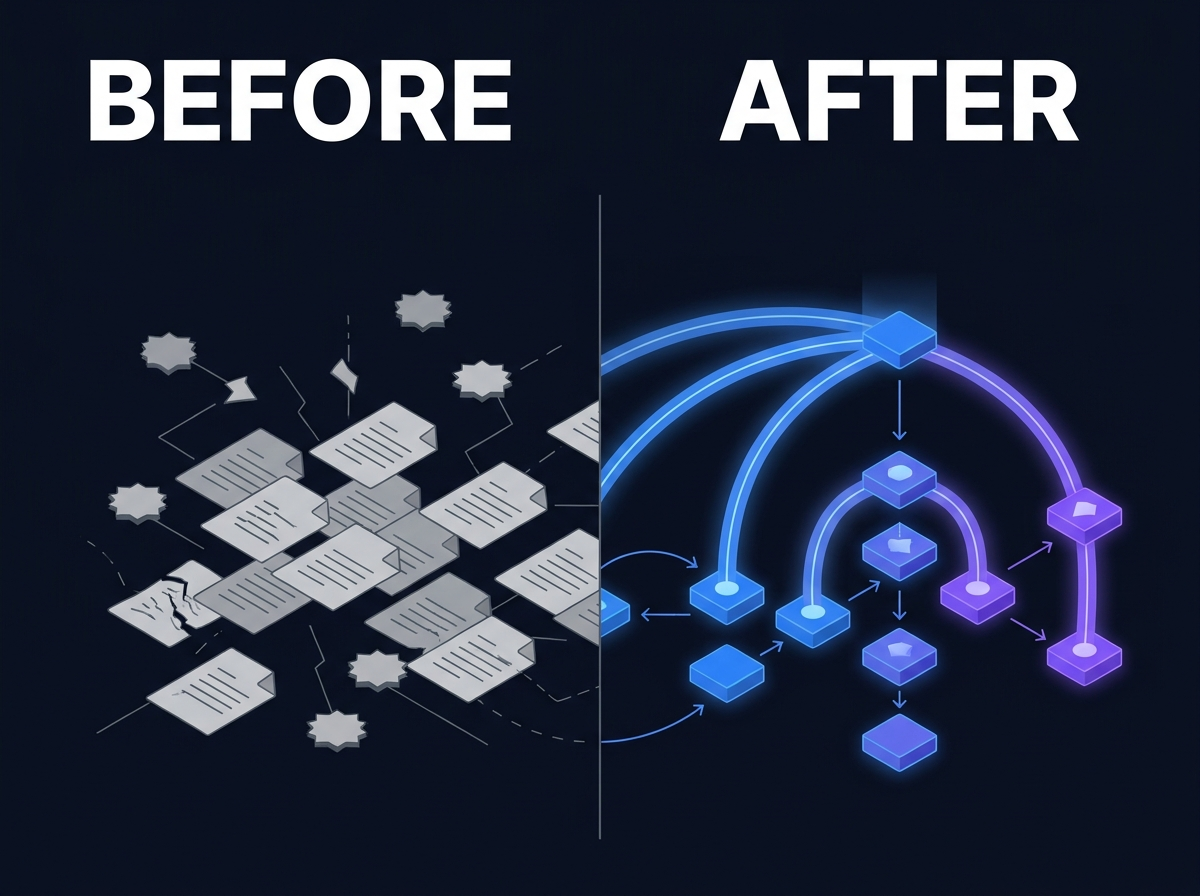
Enterprise Search Is Not Knowledge Management
lightbulb Executive Summary
Enterprise Search helps authorized users find information across systems at query time. Knowledge Management helps organizations structure, govern, and sustain information as reusable knowledge over time. The categories overlap in buyer conversations but solve different problems. Conflating them produces failed projects and overlapping tools. Search without structure returns noise. Structure without search produces repositories nobody uses. Private AI amplifies the distinction: retrieval quality depends on both findability and governance. Procurement and architecture reviews should evaluate search and KM as complementary capabilities, not interchangeable labels.
Executive Summary
- Enterprise Search helps authorized users find information across systems at query time.
- Knowledge Management helps organizations structure, govern, and sustain information as reusable knowledge over time.
- The categories overlap in buyer conversations but solve different problems. Conflating them produces failed projects and overlapping tools.
- Search without structure returns noise. Structure without search produces repositories nobody uses.
- Private AI amplifies the distinction: retrieval quality depends on both findability and governance.
- Procurement and architecture reviews should evaluate search and KM as complementary capabilities, not interchangeable labels.
1. Introduction
A procurement team issues an RFP for a "knowledge platform." Vendors respond with search appliances, wiki software, document management systems, and AI chat layers. Demos look impressive. Keywords match. Six months after selection, users complain they still cannot find the latest approved template. Taxonomy owners complain nobody tags content. IT complains it now runs two overlapping indexes.
Everyone bought something. No one got the outcome they named.
The confusion starts with language. "Knowledge platform," "enterprise search," "KM suite," and "AI copilot" get used interchangeably in marketing decks. In practice, they describe different layers of the same problem: organizations need to find information and need that information to be trustworthy when found.
This article separates Enterprise Search from Knowledge Management in operational terms, explains why buyers confuse them, and shows how the two capabilities work together in architectures that scale.
2. Problem Definition
What Enterprise Search does
Enterprise Search is the capability that lets authorized users query across multiple repositories and receive relevant results with permissions intact. It focuses on discovery at read time.
Core functions include:
- Unified indexing across file shares, collaboration platforms, DAM systems, email archives, and application exports
- Query interfaces with relevance ranking, filters, and faceted navigation
- Permission-aware results that mirror source-system access controls
- Format coverage including documents, scans (with OCR), video (with transcription), and structured metadata fields
- Connectors that keep indexes synchronized as content changes
Enterprise Search answers: "Where is the information I am allowed to see, and how do I get to it quickly?"
What Knowledge Management does
Knowledge Management is the capability that structures information so organizations can trust, reuse, and govern it over time. It focuses on meaning, lifecycle, and accountability.
Core functions include:
- Taxonomies and controlled vocabularies
- Metadata models tied to business entities: clients, matters, products, programs, assets
- Provenance and version clarity so teams know which document is canonical
- Lifecycle rules for creation, review, publication, retention, and disposition
- Curation workflows that elevate high-value content into managed corpora
Knowledge Management answers: "What is this content, why does it exist, is it authoritative, and who is responsible for it?"
The relationship in one sentence
Search finds. Knowledge Management explains what was found and whether to trust it.
Where the categories blur in vendor marketing
Search vendors add taxonomy features and call themselves knowledge platforms. KM vendors add basic search bars and call themselves findability solutions. AI vendors promise answers while skipping both indexing depth and governance depth.
Blurry positioning is not dishonest by default. Many products span multiple layers. Problems arise when buyers expect one layer to fully substitute for another.
3. Why Existing Approaches Fail
Buying search to fix a taxonomy problem
An organization deploys enterprise search across chaotic file shares. Indexing completes. Result quality disappoints. Users see duplicate versions, irrelevant folders, and filenames that mean nothing outside their original team.
Leadership concludes search failed. Often search worked as designed. It surfaced the underlying disorder. Without metadata, lifecycle rules, and ownership, relevance algorithms lack signal.
Building a KM portal nobody can find
Another organization invests in a curated knowledge portal with elegant taxonomy and editorial workflow. Contributors publish articles and methodology guides. Practitioners continue searching email and shared drives because the portal is not where work happens and its search is weak.
Leadership concludes KM failed. Often the structure is sound but disconnected from daily discovery paths. Without enterprise-wide search integration, the portal becomes a side repository.
Deploying AI chat on ungoverned corpora
A team launches an AI assistant connected to a bulk export of documents. Early demos feel magical. Production use surfaces hallucinated answers, citations to files the user should not access, and no clear way to determine which version is authoritative.
Leadership concludes AI failed. The failure mode is architectural: AI retrieval requires search discipline and knowledge governance together.
Running parallel tools without integration
Search sits in one product. KM sits in another. DAM sits in a third. Each has its own metadata model. Integrations are batch jobs or manual exports. Users learn which tool to open for which question.
Tool sprawl masquerades as best-of-breed strategy. Costs accumulate in licenses, connectors, and training while findability stagnates.
Procurement language that collapses requirements
RFPs ask for "Google-like search" and "single source of truth" in the same paragraph without defining repositories, permission models, metadata standards, or success criteria. Vendors respond to keywords. Delivery teams inherit impossible expectations.
4. Practical Examples
These scenarios reflect common enterprise patterns. They are illustrative composites, not named customer stories.
Professional services methodology and templates
A consulting firm maintains methodology guides, proposal templates, and deliverable examples. Enterprise Search indexes SharePoint, Teams, and a legacy file share. Consultants search for "digital transformation proposal template."
Results include twelve versions with ambiguous titles, duplicates from acquired firms, and draft decks never approved for client use. Search did its job surfacing files. The firm lacks a governed corpus that marks which templates are current and approved for which practice.
Knowledge Management defines the canonical template set, ownership, and review cycle. Enterprise Search makes those templates discoverable alongside other permitted content. Neither capability alone solves the workflow.
Engineering specifications across systems
A manufacturer stores specifications in PLM, test reports on shared drives, and maintenance bulletins in a wiki. Engineers search for a torque specification for an assembly.
Search returns conflicting PDF exports and a wiki page last edited four years ago. The PLM record is authoritative but poorly indexed. Engineers call a senior technician instead.
Knowledge Management links specifications to product entities and revision states. Enterprise Search indexes PLM exports with metadata and permissions. Together they reduce phone-based retrieval.
Media asset reuse
A marketing organization has a DAM, agency FTP deliveries, and campaign folders on a production server. Creatives search for licensed hero imagery from a prior campaign season.
Search returns duplicates with incomplete rights metadata. Creatives recreate assets. Legal later questions usage rights on rediscovered files.
Digital Asset Management governs media-specific metadata and rights. Enterprise Search extends discovery across DAM and adjacent repositories. KM practices define which libraries are authoritative for reuse.
Legal matter knowledge
A law firm indexes matter files and research memos. Associates search for prior analysis on a regulatory question.
Results include work-in-progress drafts, preliminary notes, and final memos without clear labeling. An associate cites a draft in a client communication.
Knowledge Management distinguishes draft vs final work product and ties documents to matters with ethical walls. Enterprise Search respects those walls at query time. AI retrieval, if used later, inherits the same boundaries.
5. Business Impact
Wasted procurement and integration spend
Buying the wrong category twice is expensive. Organizations pay for search licenses expecting governance outcomes, or KM platforms expecting enterprise-wide findability. Integration work multiplies when products do not share metadata models.
User distrust
When search returns junk, users stop searching and revert to asking people. When KM portals feel empty or stale, users stop contributing. Distrust is sticky. Rebuilding confidence takes longer than the initial rollout.
Compliance and quality risk
Without KM clarity, users act on the wrong version: outdated policies, draft contracts, superseded engineering specs. Without permission-aware search, users may see material outside their role. Both outcomes create legal and operational exposure.
AI programs built on weak foundations
Generative AI and retrieval-augmented generation amplify whatever corpus you provide. Ungoverned corpora produce fluent wrong answers. Organizations that skip search and KM discipline blame the model instead of the architecture.
Slower onboarding and decision cycles
New hires cannot find how work is done. Experienced staff become bottlenecks. Decisions wait on information that exists but is not discoverable or not clearly authoritative.
6. Recommended Approach
Step 1: Name the job to be done
Ask whether the immediate pain is discovery, governance, or both. If users cannot find anything across systems, start with Enterprise Search requirements: connectors, permissions, formats. If users find too many conflicting versions, start with Knowledge Management requirements: taxonomy, ownership, lifecycle.
Many programs need both, but sequencing matters for budget and adoption.
Step 2: Map repositories and permissions
Inventory where content lives and how access is enforced. Search architecture depends on connector quality and ACL synchronization. KM architecture depends on which repositories merit structured curation vs read-only indexing.
Step 3: Define metadata and entity models
Identify business entities that matter: clients, matters, products, campaigns, studies. Metadata should connect content to those entities consistently enough for search facets and KM dashboards to make sense.
Step 4: Stand up permission-aware search first for breadth
For many organizations, enterprise-wide discovery is the fastest visible win. Launch search that respects permissions across high-value sources. Measure whether users can find known items faster.
Step 5: Curate governed corpora for depth
Select domains where version confusion creates real risk: policies, templates, specifications, approved media. Apply KM workflows there. Link curated corpora prominently in search results.
Step 6: Integrate DAM and specialty systems
Media, engineering, and research content often live in specialized systems. DAM and domain repositories should feed the same search experience while retaining domain-specific governance.
Step 7: Add Private AI only on governed retrieval
When ready for Private AI, connect models to corpora that already have search permissions and KM structure. Citations should point to authoritative sources, not random duplicates.
Procurement checklist
| Question | If "yes," you need Enterprise Search | If "yes," you need Knowledge Management |
| Content scattered across 5+ systems | ✓ | |
| Users cannot find known documents | ✓ | |
| Duplicate versions cause confusion | ✓ | |
| No clear content owners | ✓ | |
| Permission-sensitive results required | ✓ | |
| Taxonomy and lifecycle rules required | ✓ | |
| AI must cite authoritative sources | ✓ | ✓ |
7. Where Prodigy Fits
Prodigy treats Enterprise Search and Knowledge Management as distinct pillars within one platform overview, not as a single feature checkbox.
Enterprise Search provides permission-aware discovery across documents, media, and connected repositories. Knowledge Management structures high-value content with metadata, entities, and lifecycle governance. Digital Asset Management extends the same philosophy to creative and media libraries where rights and production metadata matter.
The platform connects to existing systems through Platform Integrations so teams improve findability and governance without mandatory big-bang migration. Dark Data Intelligence addresses content that was never activated for search or KM in the first place.
For organizations adding AI, Private AI retrieves from corpora that inherit search permissions and KM structure rather than from unmanaged uploads.
Prodigy is not a search appliance pretending to be KM, or a wiki pretending to be enterprise search. It is a unified layer for organizations that need both capabilities to make existing information usable.
8. Conclusion
Enterprise Search and Knowledge Management solve adjacent problems. Search addresses findability across silos. Knowledge Management addresses trust, structure, and accountability over time.
When buyers treat them as interchangeable, projects fail in predictable ways: noisy search, empty portals, overlapping tools, and AI demos that do not survive contact with production corpora.
The better question is not "search or KM?" It is "what does our organization need first, and how do we connect discovery to governance so users find content they are allowed to use and allowed to trust?"
Leaders who name the distinction clearly will spend less on duplicate tools and more on outcomes their teams can feel in everyday work.
9. CTA
Explore how Prodigy unifies search and knowledge management Primary: Knowledge Management and Enterprise Search
Continue your evaluation Secondary: Register for the evaluation portal
Request a demo Tertiary: Request a Demo
FAQ
What is the difference between enterprise search and knowledge management? Enterprise Search helps users find information across systems. Knowledge Management structures and governs information so it remains trustworthy and reusable. Search emphasizes discovery. KM emphasizes meaning and lifecycle.
Can one product do both? Many platforms include features from both categories. Success depends on implementation depth: permission-aware connectors, metadata models, and curation workflows, not label overlap.
Which should we implement first? If users cannot find content across systems, prioritize Enterprise Search. If users find content but cannot tell which version is authoritative, prioritize Knowledge Management. Most mature programs need both.
Does enterprise search replace a DAM or records system? No. Search integrates with DAM, records, and collaboration systems. It does not replace domain-specific governance those systems provide.
Why does AI make this distinction more important? AI retrieval surfaces content automatically. Without search permissions and KM authority signals, AI can amplify the wrong documents faster than manual search ever could.
Related Reading
| Title | Type | Path |
| What Is Dark Data and Why Most Organizations Ignore It | Article (Wave 1) | `/resources/articles/what-is-dark-data/` |
| Private AI vs Public AI: What Organizations Need to Know | Article (Wave 1) | `/resources/articles/private-ai-vs-public-ai/` |
| Platform Overview | Platform page | `/platform/overview/` |
| Knowledge Management for Professional Services | Solution page | `/solutions/corporate-knowledge/` |